How It Works

Text. Ring. Press 1. That’s the Whole Product.

The 10-Second Standard: the moment a lead reaches Lead Dominator, the customer hears back and your phone rings, in under 10 seconds.

Interactive Demo0.0s
Try a Different Outcome
SM
Sarah M.Google Local Services Ads · Chandler
New Lead

RequestHi, can you do a move-out clean Thursday? It's a 3 bed, 2 bath. We hand the keys back Friday.

Hi Sarah, Desert Peak Cleaning here. Will the home be empty Thursday, and do you need the oven or fridge cleaned inside?

Yes, empty Wednesday night. Both please. Can you call with a price?

Waiting for lead…

Your phone rings next.

Hear Your Lead IntroductionKnow who’s calling before you connect.
Read the Message

New Google lead. Sarah in Chandler. Move-out cleaning, three bed two bath, Thursday. Press 1 to connect.

Audio preview uses your browser’s voice.
  1. 0.0sLead Arrives
  2. 1.1sCustomer Texted
  3. 2.4sYour Phone Rings
  4. —You Press 1
  5. —Connected
Interactive Demo · No Messages Sent

This walkthrough uses a sample lead and illustrative timing. It does not place calls or send messages, and a live conversation still depends on someone answering.

1

The Lead Reaches Lead Dominator

Your lead source — Google Local Services Ads first — delivers the request to your workspace. The clock starts here. We’re honest about that: time inside the source before it reaches us isn’t something any software can control, so we don’t count it and we don’t hide it.

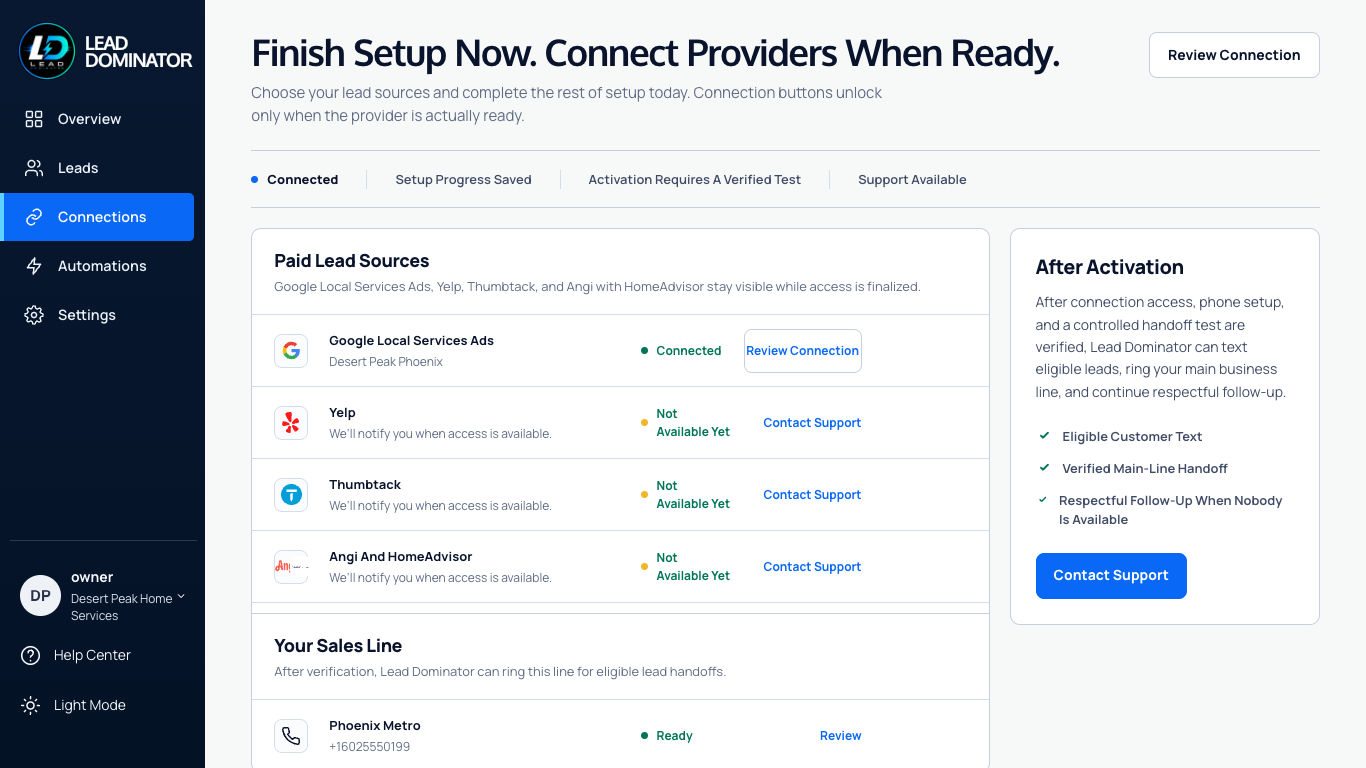
Connections screen showing each lead source with a plain-language status and one next action
Connections, with sample data. Each source shows a plain-language status and one next action — never a fake “connected.”
2

The Customer Gets a Personal Text in Seconds

Short, specific, and about their request: the service, the detail they mentioned, one useful question. It reads like a great office manager, because it’s built from the facts you approved — your services, your area, your hours, your rules.

  • The AI is constrained to approved business facts and hands uncertain questions back to the business owner.
  • Sends only what you approved. Unsure questions go to you, not to the customer.
  • The live system is designed to honor STOP and HELP, respect quiet hours, and keep Do Not Contact locked until verified consent is recorded.
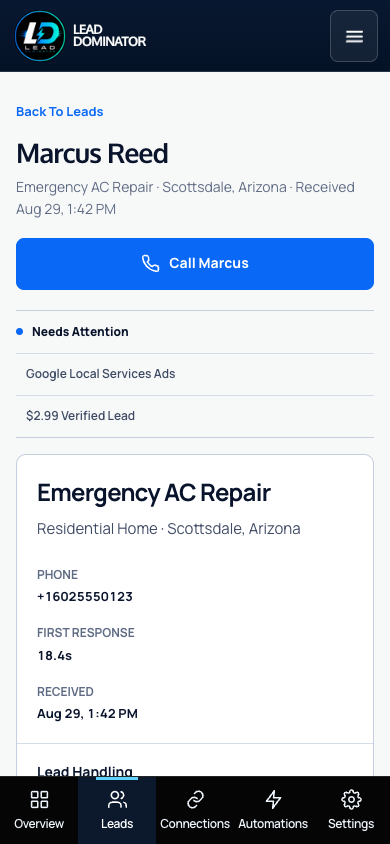
Lead detail on a phone: the customer's name, request, source, a Call button, and the first-response time
The lead, on your phone. Who, what, where, when — and one button.
3

Your Phone Rings With the Details

Before you say a word you hear: the source, the name, the town, the job. “New Google lead. Sarah in Scottsdale. Move-out cleaning, Thursday. Press 1 to connect.” Press 1 and the customer’s phone rings from your business number. Miss it, and it rings you again about two and a half minutes later while the customer keeps getting your follow-up texts.

  • You choose the number customers see. Most owners use their main line.
  • Nobody gets called unless you press 1. If you don’t, the customer already has your text.
  • Every attempt is recorded so you always know what happened, and when.
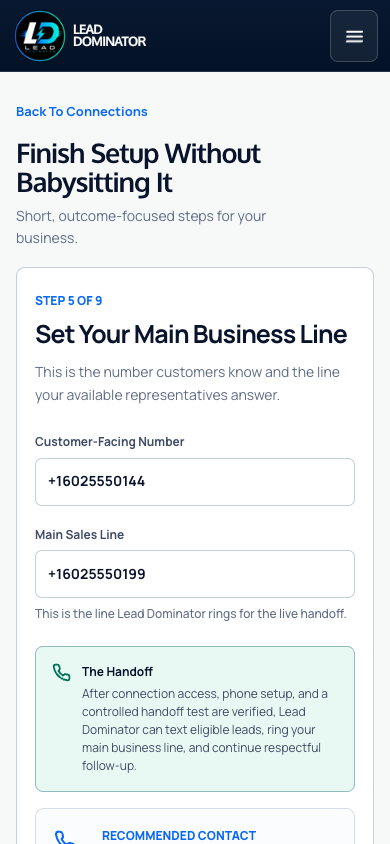
Setup step for the main business line, showing the customer-facing number and the line Lead Dominator rings for the live handoff
Setup, step 5 of 9: the number customers see and the line we ring. Plain words, one screen.
4

You Close. The System Steps Back.

The moment you’re talking, automatic follow-up stops. If the customer replies, if a human on your team reaches out, if you mark the job booked — Lead Dominator gets out of the way. It exists to create the first conversation, not to have a long one.

  • The app includes per-lead pause, resume, booked, not interested, follow-up, and Do Not Contact controls for live activation.
  • Follow-up runs on your schedule and stops on the customer’s word.
  • Every lead shows where it came from, how fast you responded, and whether it reached you.
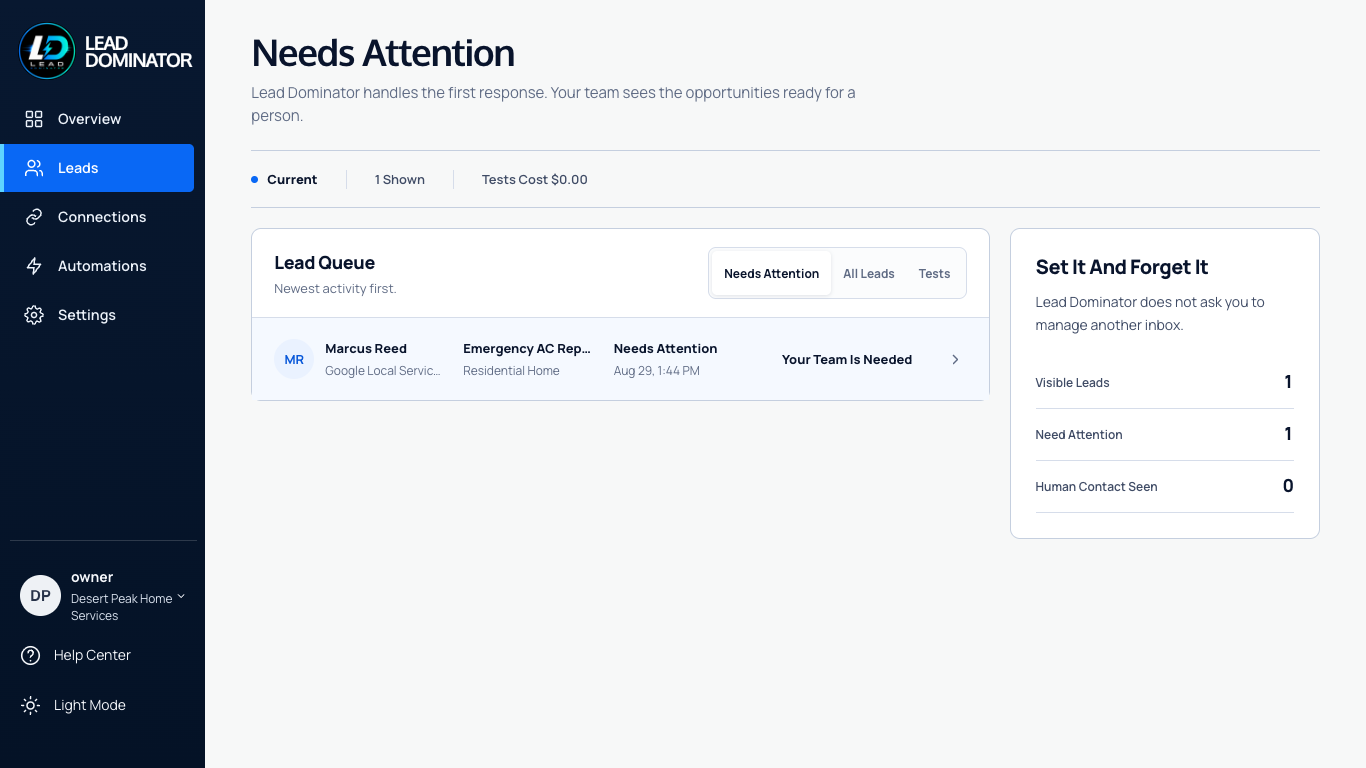
Leads list showing each lead's source, status, and response time
Leads. Source, status, response time, outcome. Sample data shown.

See It for Your Trade, Then for Your Business.

Get Started

Your Next Lead Rings Your Phone.

Tell us about your business and how many leads you handle. A real person sets it up with you. No card, no contract.

Your Contact Details

We’ll use these details to respond to your request. Submitting your phone number is not consent to recurring or automated marketing texts. View Privacy Policy.